
Google Ads Tracking
Pembee can report a conversion to Google Ads every time someone completes a booking, with the booking value passed dynamically so your revenue and ROAS (return on ad spend) reporting work automatically. Setup takes a few minutes and you won't need to write any code.
Step 1 — Create a conversion action in Google Ads
- Log into your Google Ads account.
-
Go to Goals → Conversions → New conversion action and choose Website as the source.
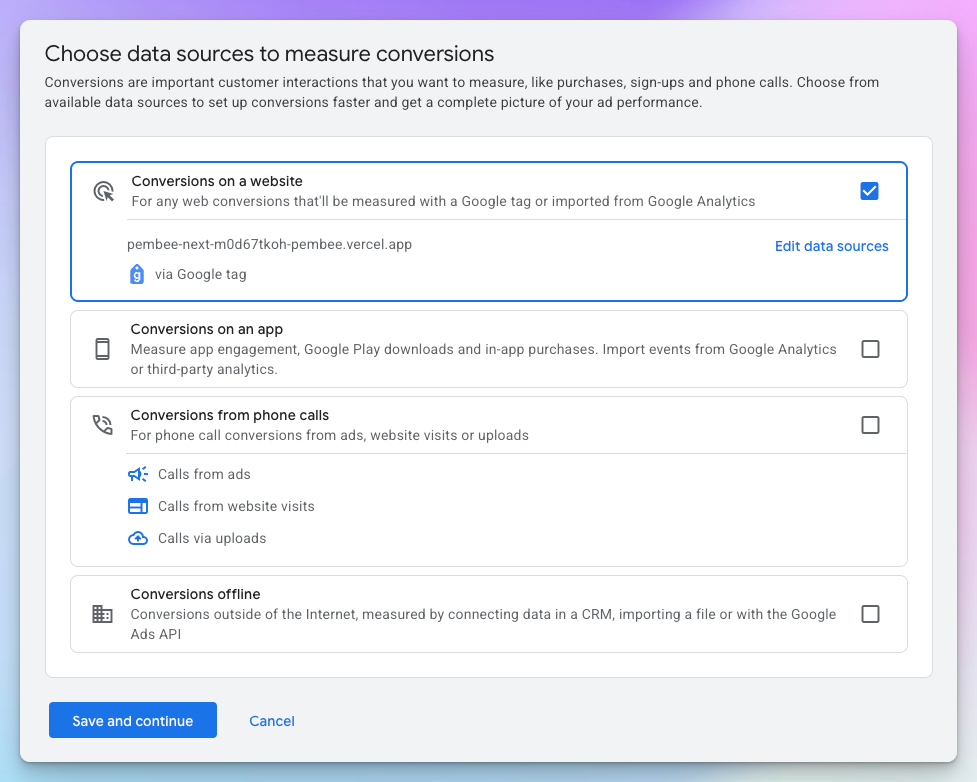
Choosing the data source to measure conversions -
Set the category to Purchase.
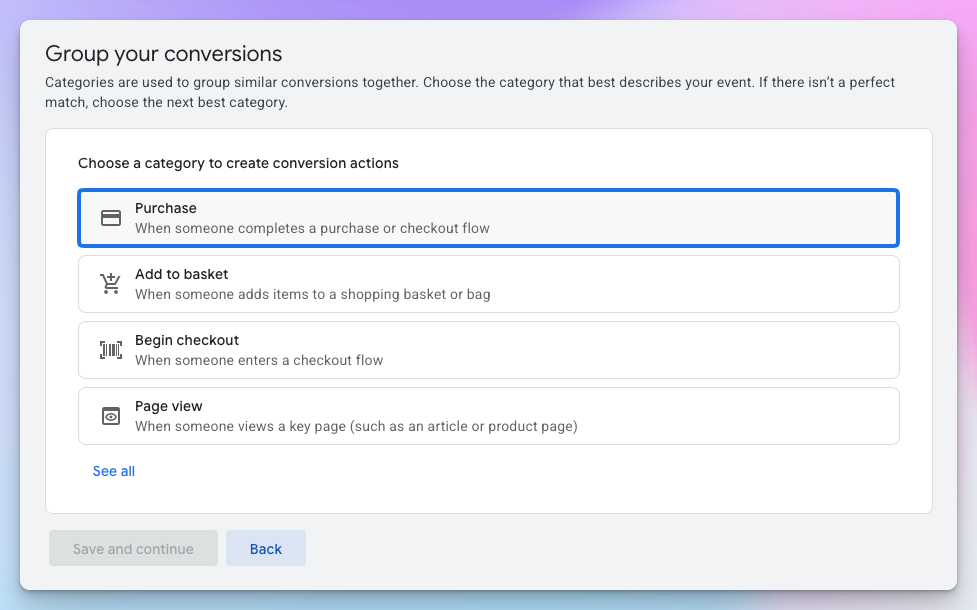
Selecting the category for the Conversion action -
Choose "Set up conversions manually using code". You won't write any code yourself — Pembee inserts the tag for you.
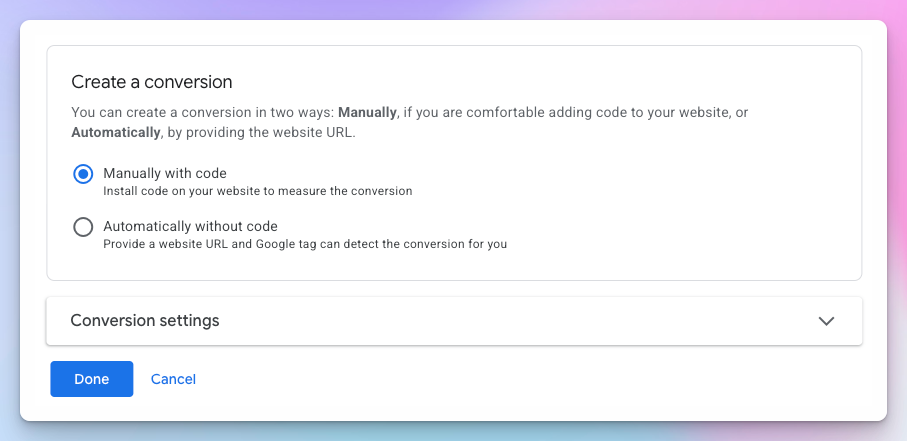
Choosing how to create the conversion - Decide whether this is a primary action (used for bidding optimization and reporting) or a secondary action (used for observation only).
- Leave the value settings on "Use different values for each conversion" — Pembee sends the actual booking value with every conversion, so you don't need to set a default.
Step 2 — Find your Conversion ID and label
After saving, open the "Use Google Tag Manager" tab in the "Set up your Google tag and event tags" section. Even though you aren't using Tag Manager, this tab is the easiest place to read the two values you need as separate fields:
- Conversion ID — shown as digits only, e.g.
123456789 - Conversion label — a short string of letters and numbers

Step 3 — Add the values to Pembee
- In your Pembee admin area, go to Settings → Tracking.
- Paste the Conversion ID into the Conversion ID field. Add the
AW-prefix yourself — so123456789becomesAW-123456789. - Paste the Conversion label into the Conversion label field.
- Make sure the Enabled toggle is on, then save.

Step 4 — Forwarding clicks from your own website (if applicable)
- If your ads link directly to your Pembee site, no further steps are needed.
- If your ads link to your own website first and then on to Pembee, make sure the
gclidquery parameter is forwarded on that onward link. This is what lets Google attribute the conversion back to the ad that drove it.
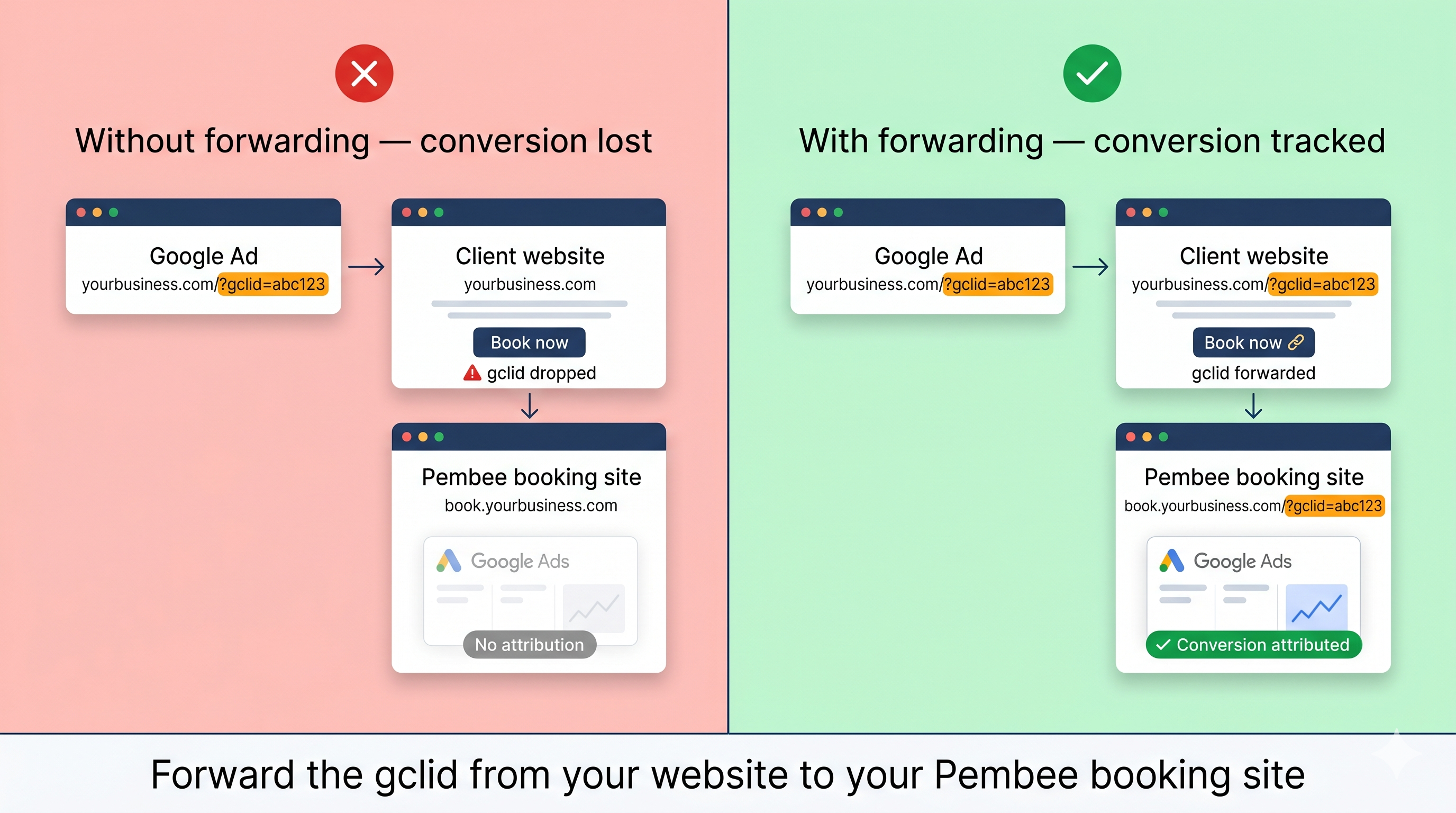
Step 5 — Check it's working
Conversions can take a few hours to appear in Google Ads. To confirm tracking is firing sooner, make a test booking and use the Google Tag Assistant to verify the conversion event triggers on your Pembee site.